Creating an IndoFinity Account
IndoFinity has no separate signup form. You log in with a Google or Discord account, and your account is created automatically the first time.
Setup steps
- Open app.indofinity.com.
- Choose one of the buttons:
- Continue with Google
- Continue with Discord
- Complete the login in the window that opens.
- You'll be redirected back to the IndoFinity dashboard. That's it, your account now exists.
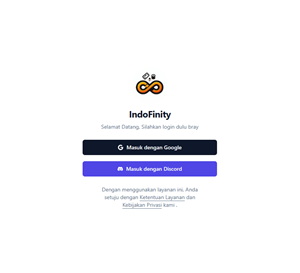
There's no "email verification" step. Once the first login succeeds, the account is active and ready to use.
When the browser doesn't return to IndoFinity
This happens most often in the desktop app, when the browser finishes the login but doesn't hand you back to the application. That's what Sign in with Manual Token is for:
- Still click Continue with Google or Continue with Discord.
- Complete the login in the browser.
- After logging in, the browser shows a page containing a token. Copy the entire token.
- Return to the IndoFinity login page and open Sign in with Manual Token.
- Paste the token into the field, then click Sign in with Token.
The token must be copied in full. If you only copy part of it, you get the message "Invalid token. Please make sure you copied it completely." Tokens can also expire. If that happens, repeat the login from the start to get a fresh one.
Common problems
Symptom: no login window opens. The browser is blocking popups. Allow popups for IndoFinity and try again.
Symptom: "Sign in failed. Please try again or use another method." appears. Try the other method: if Google fails, use Discord, or the other way around. If both fail, it's usually a network issue.
See also
- 15-Minute Checklist: the next steps once your account is ready
- Connecting TikTok Live