Connecting TikTok Live
This is the most important step in IndoFinity. Until your TikTok live is connected, no feature reacts to viewers: alerts, TTS, song requests, all of it stays silent.
Before you start
- You have an IndoFinity account. Not yet? See Creating an IndoFinity Account.
- You know your TikTok username.
Setup steps
1. Find your TikTok username
Open your TikTok profile page. It's the one starting with @, not your display name.
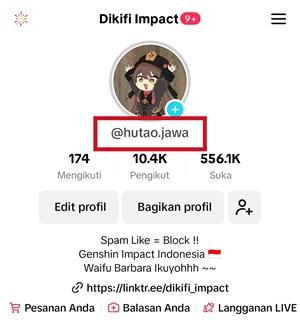
2. Enter it in the Connection menu
- Open the dashboard at app.indofinity.com.
- Go to the Connection menu.
- In the TikTok Connection card, fill in the Username field.
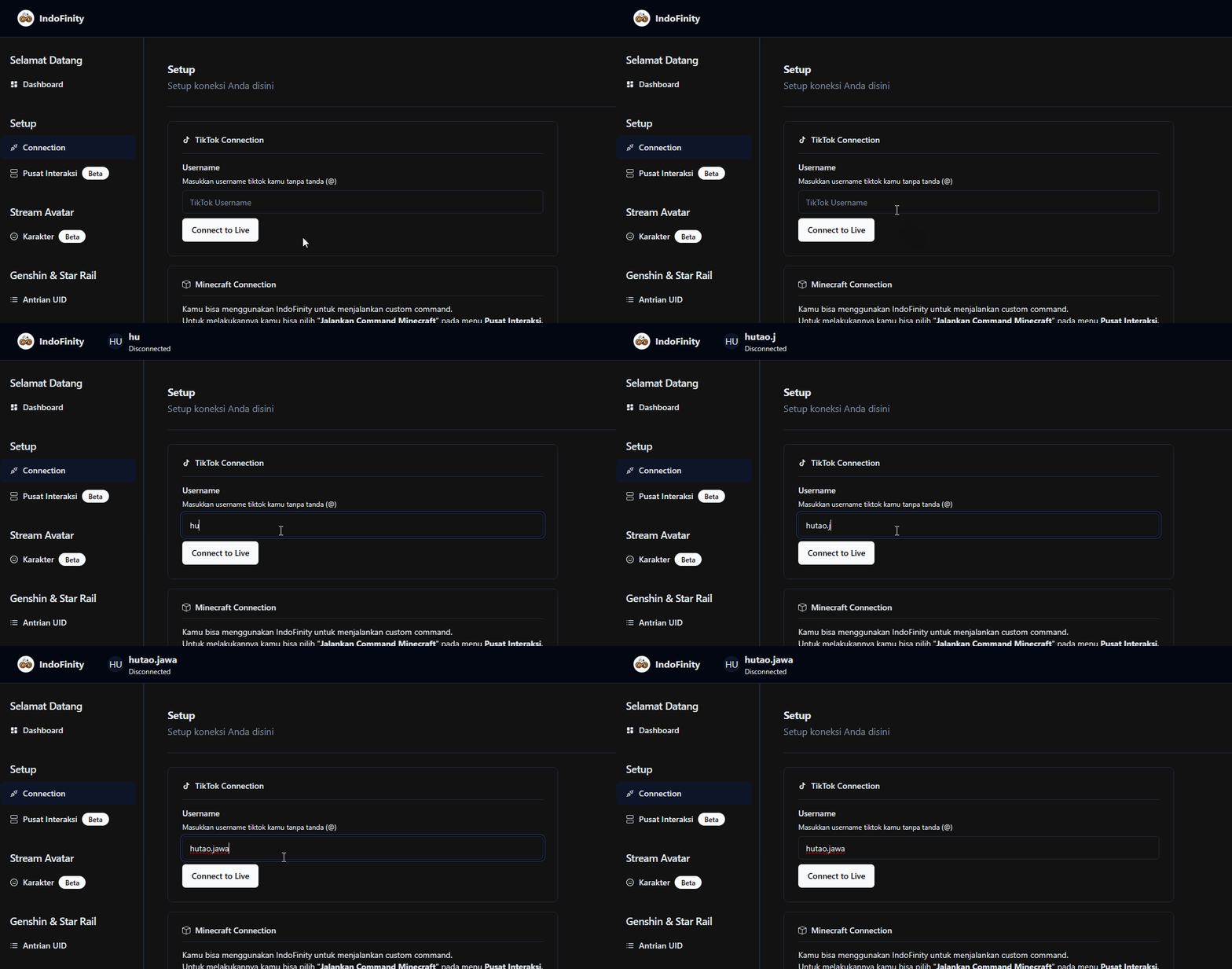
Enter it without the @ sign. Type yourname, not @yourname. This is the single most common cause of failed connections.
3. Start your TikTok live
Open the TikTok app and start your livestream. Make sure the live is actually on air.
Order matters: go live first, connect second. IndoFinity looks for a live that's already running. Pressing Connect to Live before your stream is on air just tells you that you aren't live.
4. Press Connect to Live
Back in the Connection menu, click Connect to Live and wait for the connected notification.
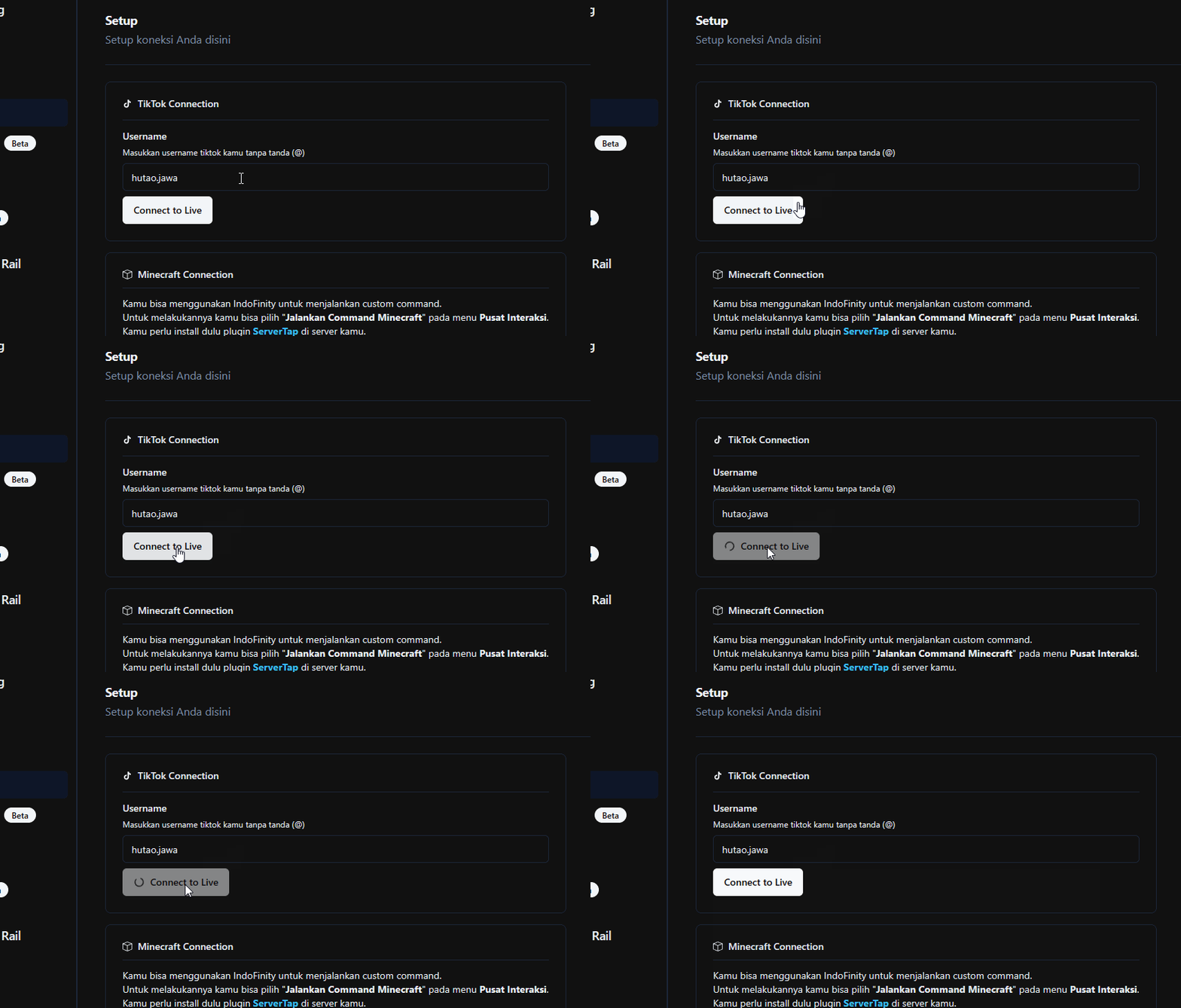
Once connected, viewer comments and gifts start flowing into IndoFinity.
Important settings
| Setting | What it does | Note |
|---|---|---|
| Username | Determines whose live is listened to | Without @ |
| Connect to Live | Starts the connection | Press it each time you start a new live |
Common problems
Symptom: "not currently live" even though you are.
Wait a few seconds after going live, then try again. TikTok needs a moment before a live becomes visible externally. Also check the username spelling: no @, no typos.
Symptom: connects successfully, then drops mid-stream. Press Connect to Live again. If this happens often in a browser, use the IndoFinity desktop app. Its connection is more stable because it doesn't go through the same path.
Symptom: connecting keeps failing. The dashboard itself suggests the fix in the TikTok Connection card: "Having trouble connecting to TikTok Live? Use the desktop version for a better experience." The Download Application button is in the same card.
Symptom: connected, but alerts still don't appear. Then the connection is fine and the problem is further down the chain. Continue to Installing Overlays.
You don't need to be actually live to test alerts. The Simulator Panel in the Interaction Center can send fake gifts, likes, follows, and comments at any time.