Stream Avatar configuration
Before you start
Your TikTok Live must already be connected. See Connecting TikTok Live.
Adding an Avatar Pack
You have to pick an Avatar Pack first. Without one, the overlay is empty.
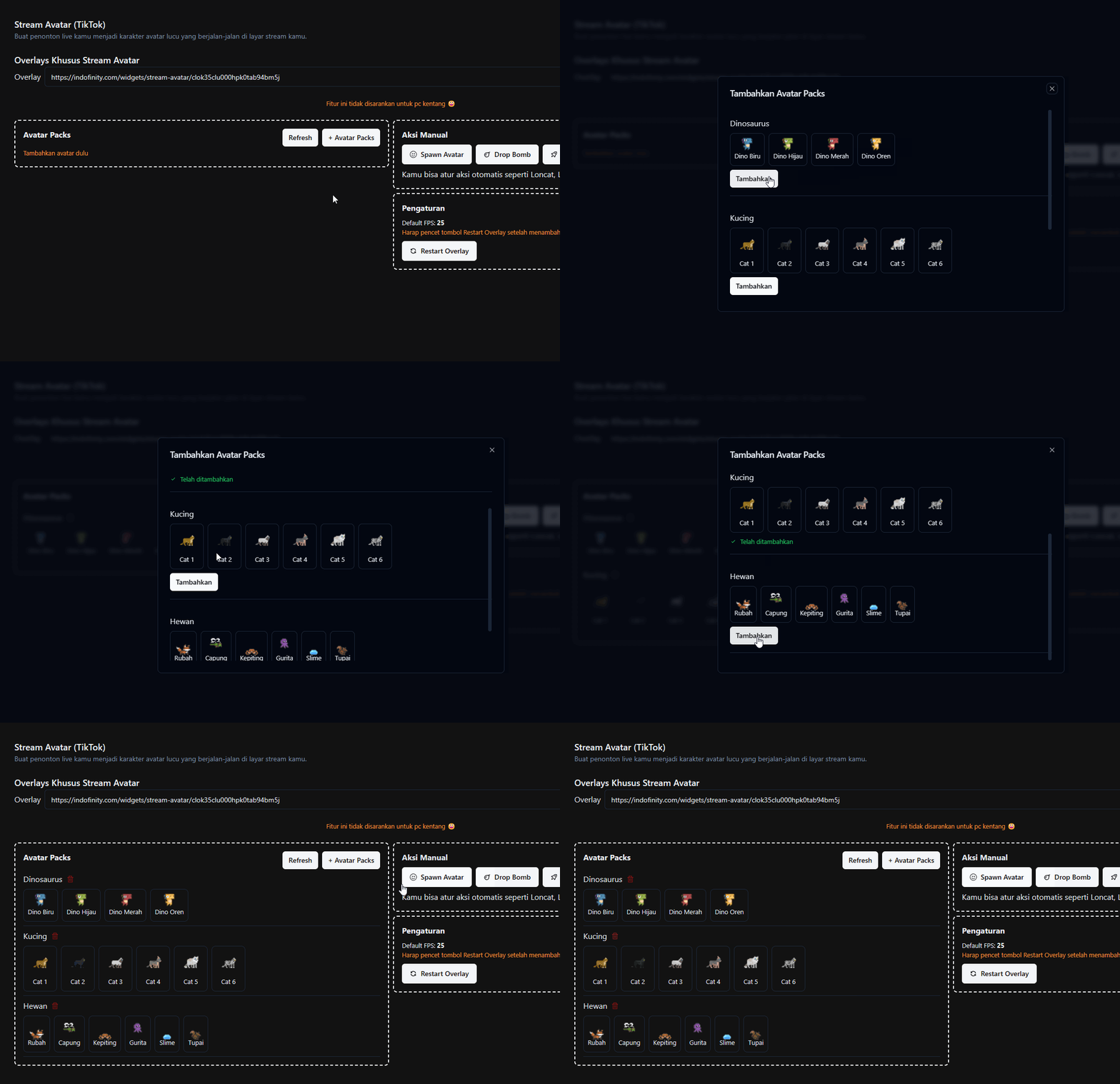
- Open the Stream Avatar menu.
- Press the [+ Avatar Packs] button.
- Pick the Avatar Pack you want.
Free account limit
Free accounts can use 10 avatars, and only from the free collection. Premium avatars are marked in the list. See Free Limits and Subscription Add-ons.
Overlay restart required
Every time you add or remove an Avatar Pack, restart the overlay so the change shows up. See Installing and restarting the overlay.